GIS Web Service Tips and Tricks
When REST service endpoints change—whether due to migrations, renaming, or infrastructure updates—GIS users often need to locate and repair broken connections across many systems.
The tips below offer practical guidance for ArcGIS Online users updating web maps and hosted layers, ArcGIS Pro and desktop users fixing data source paths, and developers using Python to automate URL updates. These resources focus on efficient ways to identify, update, and validate service URLs throughout your workflows.
Tips & Tricks for ArcGIS Online Users
- Manual Process: Open the map in the Map Viewer and remove the deprecated layer from the web map and add the updated service. You may need to reconfigure pop-ups, symbology, or labeling.
- Tip: In many cases, it is helpful to temporarily keep the old service in the map as a reference while replicating those settings on the new layer, then remove it once updates are complete.
- Watch How-to Video:
Special note for basemaps used in ArcGIS Online or Portal:
- If your organizational or custom basemaps were built using layers from deprecated EMCS-managed services, you must update those basemaps in ArcGIS Online before maps will behave reliably.
- Open each affected web map or basemap item in the Map Viewer, remove any layers that reference the deprecated EMCS services, add the replacement Montana State Library services, and save the item.
- After this cleanup work is complete, if a web map still shows a basemap-related error, open the map in the Map Viewer and change the basemap to a current basemap that does not contain deprecated layers. In many cases, simply re-selecting the correct organizational basemap resolves the error.
- Changing Basemaps in ArcGIS Online Map Viewer
Administrative Resources:
- Create Item Report for all organizational items (includes service URLs)
- ArcGIS Assistant*
- ArcGIS Assistant User Guide
- ArcGIS Assistant - Working with Item Resources
- *ArcGIS Assistant is a free and powerful tool and not supported by Esri .
The tool was produced by Esri Professional Services. A user can easily do destructive things to existing ArcGIS Online Content.
Please read Esri's Warning Page before use.
- *ArcGIS Assistant is a free and powerful tool and not supported by Esri .
Tips & Tricks for GIS Desktop Software Users
ArcGIS Pro
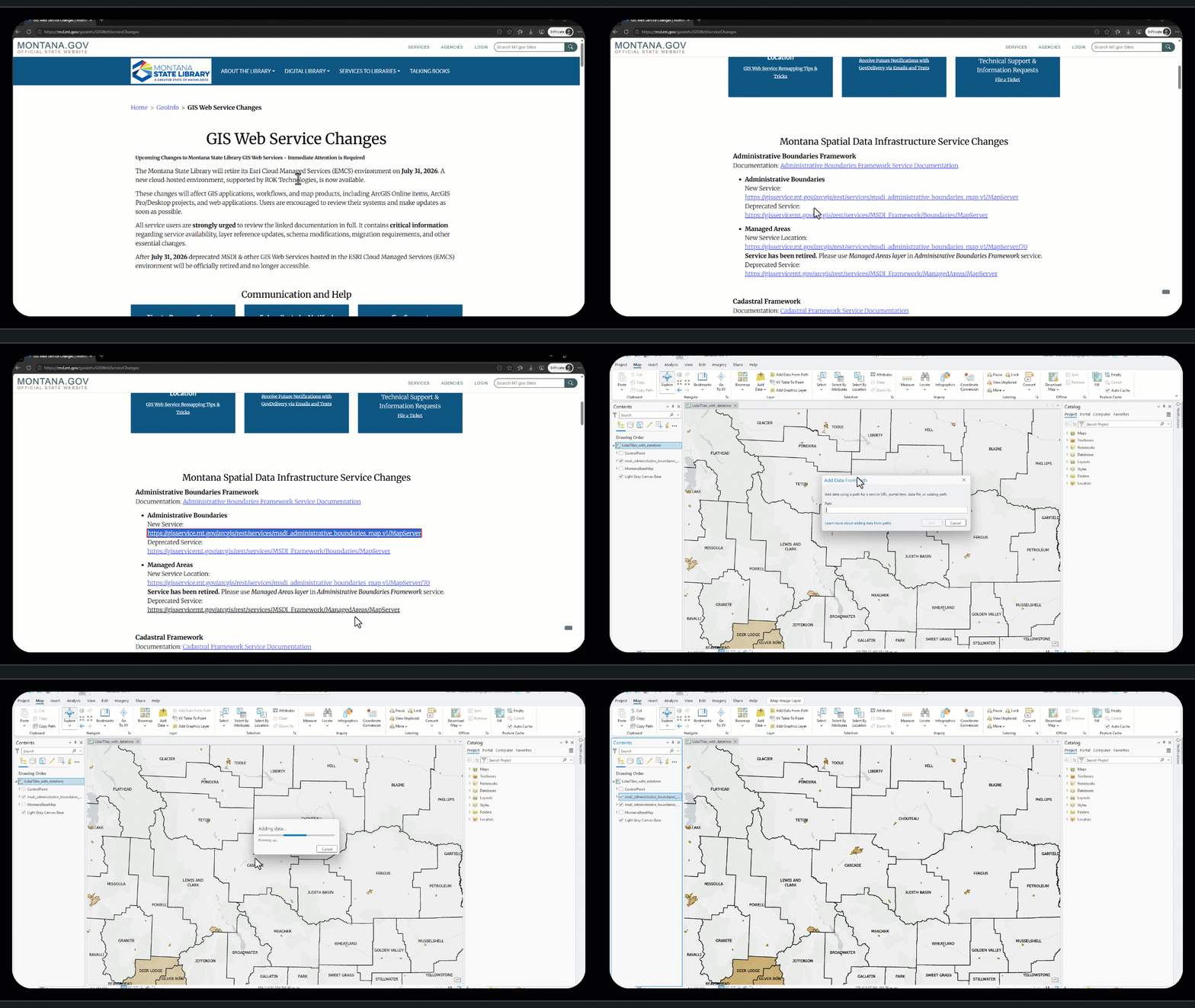
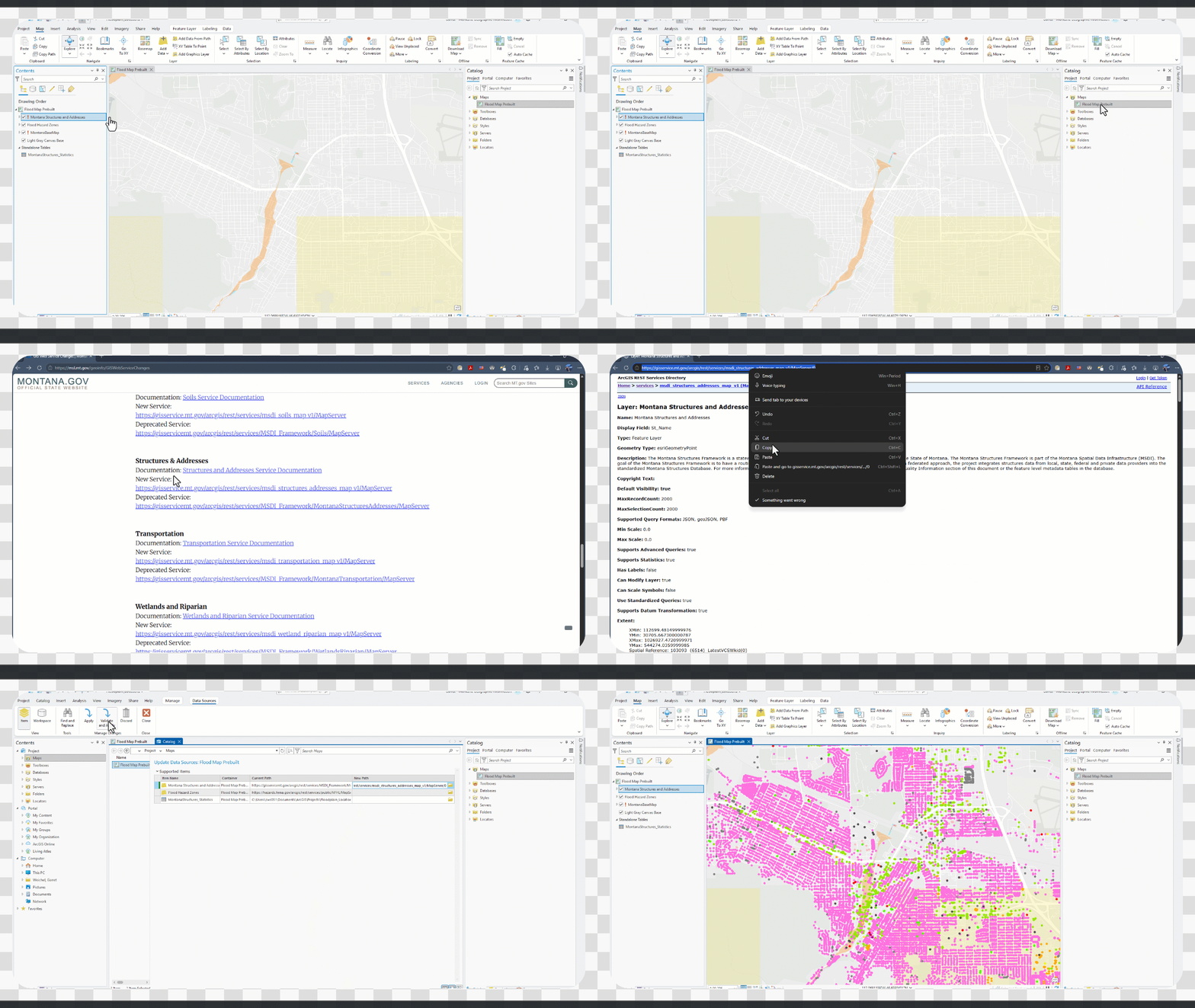
- Update data sources in ArcGIS Pro
- Repair broken data sources for layer and tables in ArcGIS Pro
- Refresh a location's content in ArcGIS Pro
- Watch How-to Video:
Special note for basemaps used in ArcGIS Pro:
- If your organizational basemap was a custom basemap, or if your organization used a basemap from the Montana State Library ArcGIS Online portal at montana.maps.arcgis.com, you may need to remove the old basemap and add it again in ArcGIS Pro. This may be necessary if the previous basemap referenced a deprecated EMCS-managed service, which is no longer available after the EMCS retirement.
- Managing Basemaps in ArcGIS Pro
Other GIS Software: